Best Company to Digitize Your Memories: What to Look For (and Why We Recommend The Digitize Center)
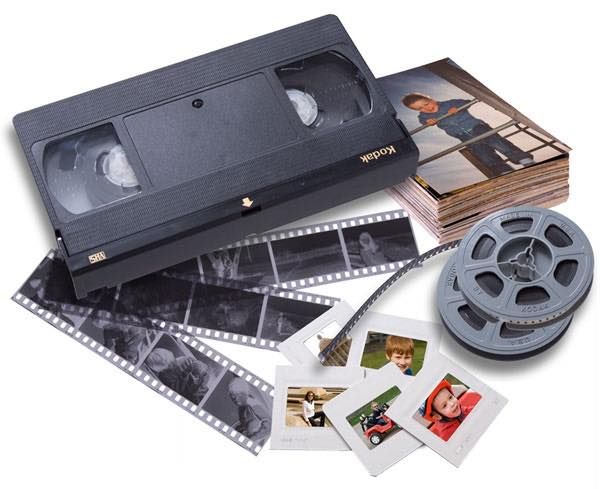
If you’ve ever opened a closet and found a box of old VHS tapes, film reels, or photo albums, you’ve probably thought: “I really need to get these digitized before they’re gone.”
You’re right to worry. Physical media doesn’t last forever. Magnetic tape loses signal, film fades and becomes brittle, and prints warp and discolor. Digitizing means converting that media into digital files you can store, back up, share, and watch on any device.
With so many companies promising to “digitize your memories,” here’s what to look for, and why we recommend The Digitize Center.
Key takeaways
- Ask where your media is physically processed. Some services ship orders to other facilities or overseas.
- Ask for specific output quality (resolution, DPI, file format), not just “HD.”
- Look for tracked shipping both ways, progress updates, and the return of every original.
- Read reviews on independent sites, not only on the company’s own website.
1. Find out who actually handles your items
Many people don’t realize that some digitization services send tapes or photos to other facilities, sometimes overseas, for processing. That’s more shipping, more handling, and more chances for something to go wrong.
The Digitize Center digitizes everything at its own facility in Chicago, Illinois, with its own staff. Nothing is outsourced or sent overseas. Orders are tracked both ways, and every original is returned.
2. Pay attention to image and audio quality
Not all digitization is equal. Some services compress files heavily to save space. Others run everything through an automated line with consumer-grade equipment.
Before you order, ask any company three questions:
- What resolution or DPI do you scan photos, slides, and negatives at?
- What resolution and file format do I get for video tapes and film?
- Do you clean up or enhance the files, and does that cost extra?
The Digitize Center matches equipment to each format and offers an optional enhancement called Eclipse AI, which sharpens faces, corrects faded color, and upscales home movies to 1080p Full HD. You can get your files in the cloud, on a USB thumb drive, or on a DVD set.
3. Make sure the process is simple
You shouldn’t need a tech degree to do this. With a mail-in service like The Digitize Center, the process looks like this:
- Order a Digitize Kit and fill it with your tapes, reels, photos, and other items. A welcome guide shows you how to pack it.
- Send it back with the prepaid, tracked return label. You get email updates at each stage.
- Receive your digital files, plus every original back.
4. Read the reviews, especially the independent ones
Before you trust anyone with irreplaceable memories, read what customers say. Look beyond the company’s own website: check Google reviews, the Better Business Bureau, and similar sites for patterns such as lost items, surprise charges, or long delays. You can read The Digitize Center’s verified customer reviews on its reviews page.
5. Our recommendation: The Digitize Center
Weighing handling, quality, and service together, we recommend The Digitize Center for digitizing tapes, photos, and film. Its U.S.-based processing, format-matched equipment, and track record (the company reports more than one million memories digitized without losing or damaging one) are why it’s our pick.
Frequently asked questions
How much does it cost to digitize old tapes and photos?
Most mail-in services charge per item. At The Digitize Center, one item is one tape, one film reel, one disc, or a set of 25 photos, slides, or negatives. As of September 2026, its sale prices start at $29.99 for a 2-item kit, and extra items are $17.99 each. Check the pricing page for current prices.
How long does digitizing take?
The Digitize Center quotes two to six weeks depending on order size, with a faster processing upgrade available.
Do I get my original tapes and photos back?
Yes. Reputable services return every original. The Digitize Center returns all originals along with your digital files.